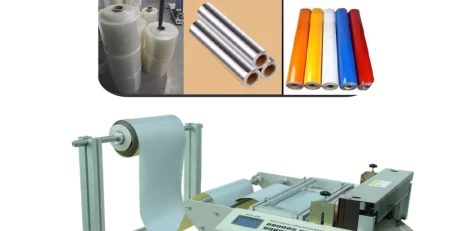
Fix Roll-to-Sheet Display: Keep Cutting Smooth
Conquering the Blank Screen: Troubleshooting Roll-to-Sheet Cutting Machine Woes
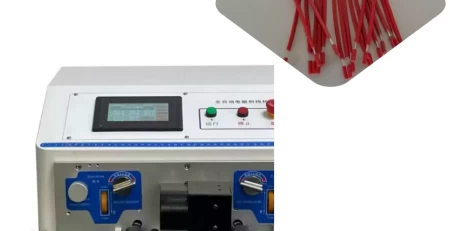
An unresponsive control panel on your Roll-to-Sheet Cutting Machine can halt your operations and trigger a surge of anxiety. But fear not, resolving this issue is often straightforward. Here’s a guide to get your display back on track and your cutting operation running smoothly.
Understanding the Cause: When Heat Becomes a Culprit
Extended periods of operation can cause internal temperatures within the machine to rise, impacting the display’s functionality. This is a normal occurrence, and fortunately, there’s a simple solution.
The Cool-Down Fix:
Power Down and Cool Off: Turn off the machine’s power switch and disconnect it from the power source.Permit the machine to undergo a cooling period of at least 30 minutes.
Restart and Assess: Once cooled, reconnect the power and restart the machine. Hopefully, the display will function normally.
Addressing Cold Start Issues:
If the display malfunction occurs during a cold start (when the machine has been off for a longer period), try this:
The Power Cycle Fix:
Turn it Off and On: Turn off the machine completely. Wait for 10 seconds, then turn it back on. Perform this power cycle procedure two or three additional times.
Seeking Further Assistance: If the display issue persists after repeated power cycles, it’s recommended to consult the user manual or contact a qualified technician for further troubleshooting.
Connection Checkup:
Display malfunctions can also arise from loose or defective connections. Here’s what to check:
Inspecting the Wires:
Open Up for Inspection: Carefully open the machine’s case (refer to the user manual for proper procedures).
Perform a Thorough Visual Check: Meticulously inspect the computer connection plugs, especially those on the operation panel and the CPU control panel. Be on the lookout for any loose wires or indications of damage. Avoid applying excessive force.
Investing in a Smooth Operation:
By following these troubleshooting steps, you can often resolve common display issues with your Roll-to-Sheet Cutting Machine. Remember, preventive maintenance is crucial for long-term performance. Regularly cleaning the machine’s ventilation system and ensuring proper airflow can help prevent overheating. Additionally, consulting the user manual for recommended maintenance schedules can help identify potential problems before they arise.
With a little knowledge and preventative measures, you can keep your Roll-to-Sheet Cutting Machine‘s display clear and functional, ensuring your production line operates smoothly.
Keep Your Machine Running Like a Pro:
By mastering these troubleshooting techniques, you’ll be well-equipped to handle minor display issues and keep your Roll-to-Sheet Cutting Machine operating efficiently.