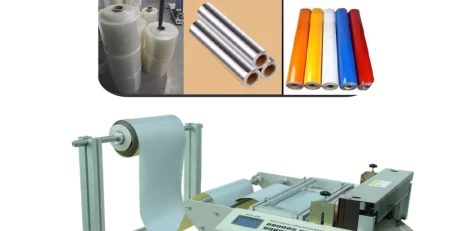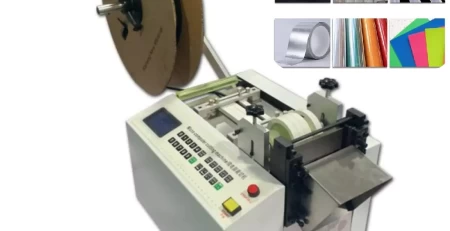
Roll-to-Sheet Cutting Machine Troubleshooting
Conquering Cutting Challenges: Troubleshooting Your Roll-to-Sheet Cutting Machine
Maintaining a smooth workflow with your Roll-to-Sheet Cutting Machine is crucial. This guide equips you with solutions to address common glitches that may arise, ensuring consistent and efficient cutting.
Troubleshooting Your Roll-to-Sheet Cutting Machine: A User-Friendly Guide
Our Roll-to-Sheet Cutting Machine aims to streamline your ribbon cutting process. However, occasional glitches can occur. Here’s a breakdown of common issues and quick fixes to get your machine back on track:
1. Heat Cutting Issues:
Temperature Check: Verify if the current temperature matches your pre-set value on the control panel.
Hot Knife Functionality: Ensure the hot knife heats up properly by referring to the user manual for troubleshooting steps or consulting a qualified technician.
2. Power Supply Problems:
Power Connection: Check for a secure connection between the machine and the power source.
Fuse Replacement: A blown fuse can disrupt power supply. Locate the fuse box (refer to the user manual) and replace it if necessary.
3. Machine Unresponsiveness:
Cylinder Ventilation: If the machine doesn’t start, ensure the cylinder’s ventilation system is functioning properly. Open the valve if needed.
Sensor Errors: Consult the user manual to identify potential sensor errors and troubleshooting steps.
Cutter Seat Lubrication: Check the sliding sleeve on the cutter seat. Apply lubricant if it appears stuck.
4. Rotary Knife Sensor Malfunctions:
Air Pressure Check: Verify adequate air pressure for proper operation.
Punching Frame Blockage: Ensure the punching frame isn’t jammed or obstructed.
Sensor Baffle and Drive Board Fuse: Inspect the rotary knife sensor’s baffle for proper alignment and ensure it’s not stuck. Additionally, check the drive board’s fuse for any damage.
5. Blank Display:
Power and Connection: Examine the transformer output for power or loose electrical connections.
6. Cutting Length Discrepancies:
Roller Tension and Feeding: Adjust the roller tension for a smooth material feed. For improved feeding consistency, consider using a belt conveyor.
Compensation Function: Activate the compensation function on the control panel for precise cutting lengths.
7. Color Mark Sensor Calibration:
For optimal performance of the color mark sensor, follow these steps (refer to the user manual for detailed instructions):
a. Measure and Confirm Trademark Length: Measure the exact length of the trademark on your material.
b. Computer Setting: Enter the measured length into the computer settings on the control panel.
c. Sensor Installation: Fix the sensor on the designated rail and securely connect the socket.
d. Cutting Line Alignment: Align the cutting line on the material with the blade.
e. Light Beam Adjustment: Adjust the light beam to form a clear “1” shape on the sensor.
f. Sensor Calibration: Calibrate the sensor by turning the designated switches on the control panel, focusing the light beam on the background color of the trademark.
8. Electrical Safety:
Always prioritize safety during operation. Ensure you have an electric shock-proof leakage switch installed during machine setup. Additionally, the machine should be properly grounded using a three-pin socket for safe operation.
9. Material Alarm Notifications:
Material Replenishment: Check for depleted material and replace it accordingly.
Material Loading and Pressure Plate: Ensure materials are loaded correctly and the pressure plate is securely in place.
Travel Switch Obstructions: Inspect the travel switch for any obstructions that might be triggering the alarm.
By following these troubleshooting tips and prioritizing regular maintenance, you can ensure your Roll-to-Sheet Cutting Machine operates smoothly and efficiently. Remember, safety is paramount. Always follow the manufacturer’s guidelines and prioritize safe operation.
Maintaining a well-functioning Roll-to-Sheet Cutting Machine not only ensures consistent cutting results but also optimizes your production process.
Find expert roll to sheet cutting machine technical resources on our specialized page.